Features Product Pricing Security Blog vs Notion vs Evernote vs OneNote 🌐 Web Plugin 🐺 OpenClaw 🔗 GitHub ⚙ WolfStack Get Started
Evernote Alternative

WolfNote vs Evernote

Evernote pioneered digital notes. WolfNote takes it further with task tracking, time billing, AI document generation, and drawing tools — all in one workspace.

Task Management

Full task lists, not just checklists

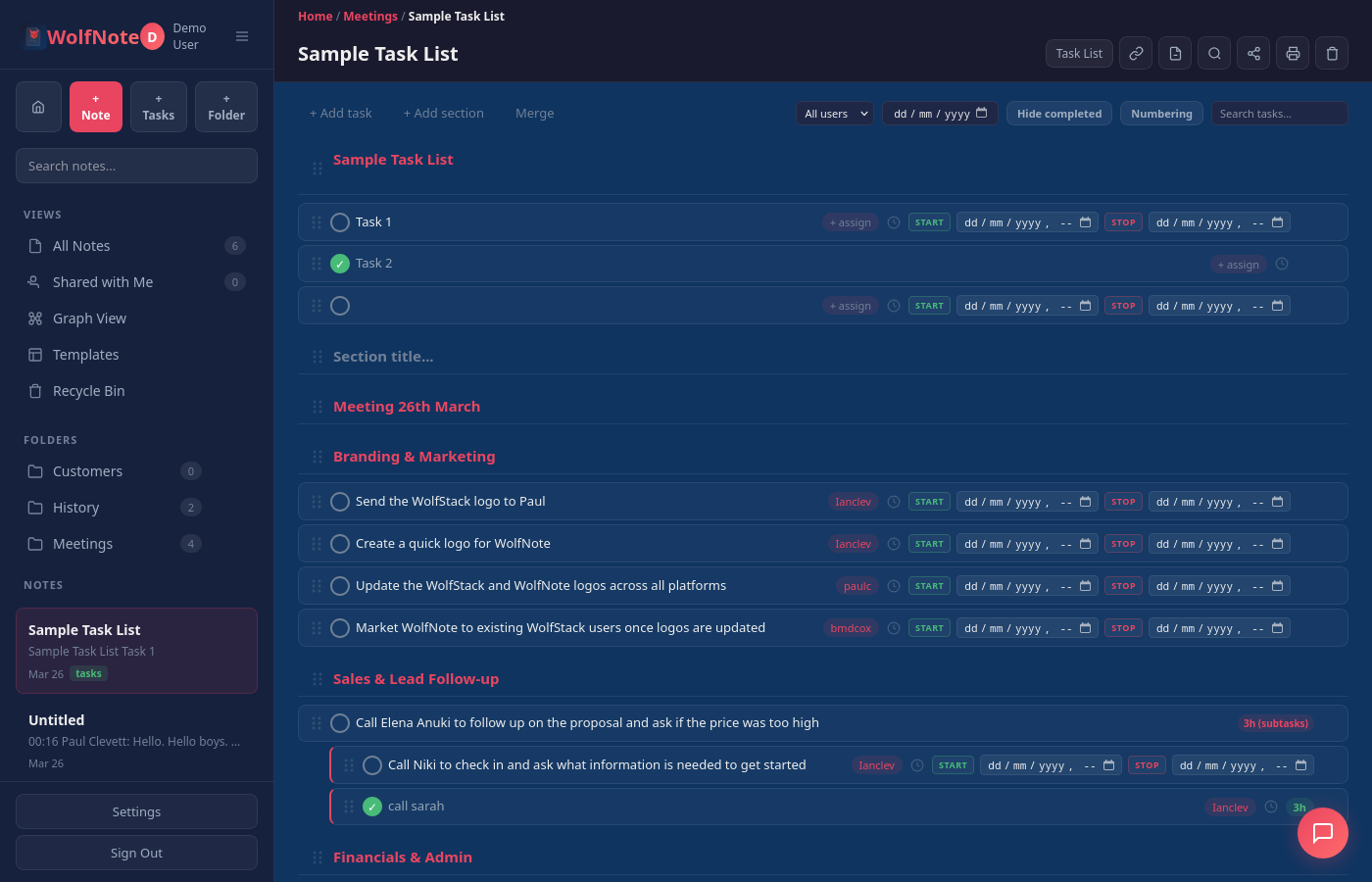
Evernote offers basic checklists inside notes. WolfNote provides structured task management with subtasks, estimated hours, start and end dates, assignees, and built-in time tracking — turning your notes into a project workspace.

  • Subtasks with independent tracking
  • AI estimates hours and schedules dates per user
  • Interactive Gantt chart with drag-to-reschedule
  • Kanban board, burndown chart, and list views
  • Start/stop time tracking per task
  • Filter by assignee, status, or date
WolfNote task management with subtasks and time tracking
AI Documents

Generate professional documents from your data

Evernote's AI can summarise and tidy existing notes. WolfNote generates 13 types of professional documents — invoices, proposals, statements of work, sprint summaries, risk assessments, and more — directly from your task data.

  • 13 document types from task lists
  • Invoices with per-user billing rates
  • Proposals, SOW, and project plans
  • Sprint summaries and release notes
  • Risk assessments and resource allocation
  • Filter by assignee or status before generating
WolfNote AI document generation
Billing & Invoicing

Track time and bill clients from your notes

Evernote has no billing features. WolfNote tracks time on every task, calculates costs using per-user hourly rates, filters uninvoiced work, and generates professional invoices — no separate billing tool needed.

  • Per-user hourly billing rates
  • Start/stop timers on any task
  • Automatic cost calculation
  • Filter uninvoiced tasks
  • Generate and print invoices
  • Invoice tracking with paid/unpaid status
WolfNote billing and invoicing
Drawing & Annotations

Draw, annotate, and sketch on any note

Evernote offers basic sketching on mobile. WolfNote gives you a full drawing toolkit on desktop and mobile: pen, highlighter, shapes (rectangles, circles, arrows, lines), colour picker, stroke widths, and snap-to-grid for precise layouts.

  • Pen and highlighter tools
  • Shapes: rectangles, circles, arrows, lines
  • Snap-to-grid for precise placement
  • Colour picker and stroke widths
  • Draw directly on any note
  • Works on desktop and mobile
WolfNote drawing and annotation tools
Page-Based Editor

Real page sizes and print-ready layout

Evernote uses a simple scrolling editor. WolfNote provides page sizes (A4, Letter, Legal), page breaks, rulers, and a print-ready layout — so your notes look exactly how they will on paper.

  • A4, Letter, and Legal page sizes
  • Page breaks and multi-page documents
  • Rulers and margin guides
  • Print-ready WYSIWYG layout
  • Export to PDF, Word, HTML, and more
  • PDF fill-in templates
WolfNote page-based editor with page sizes
Easy Migration

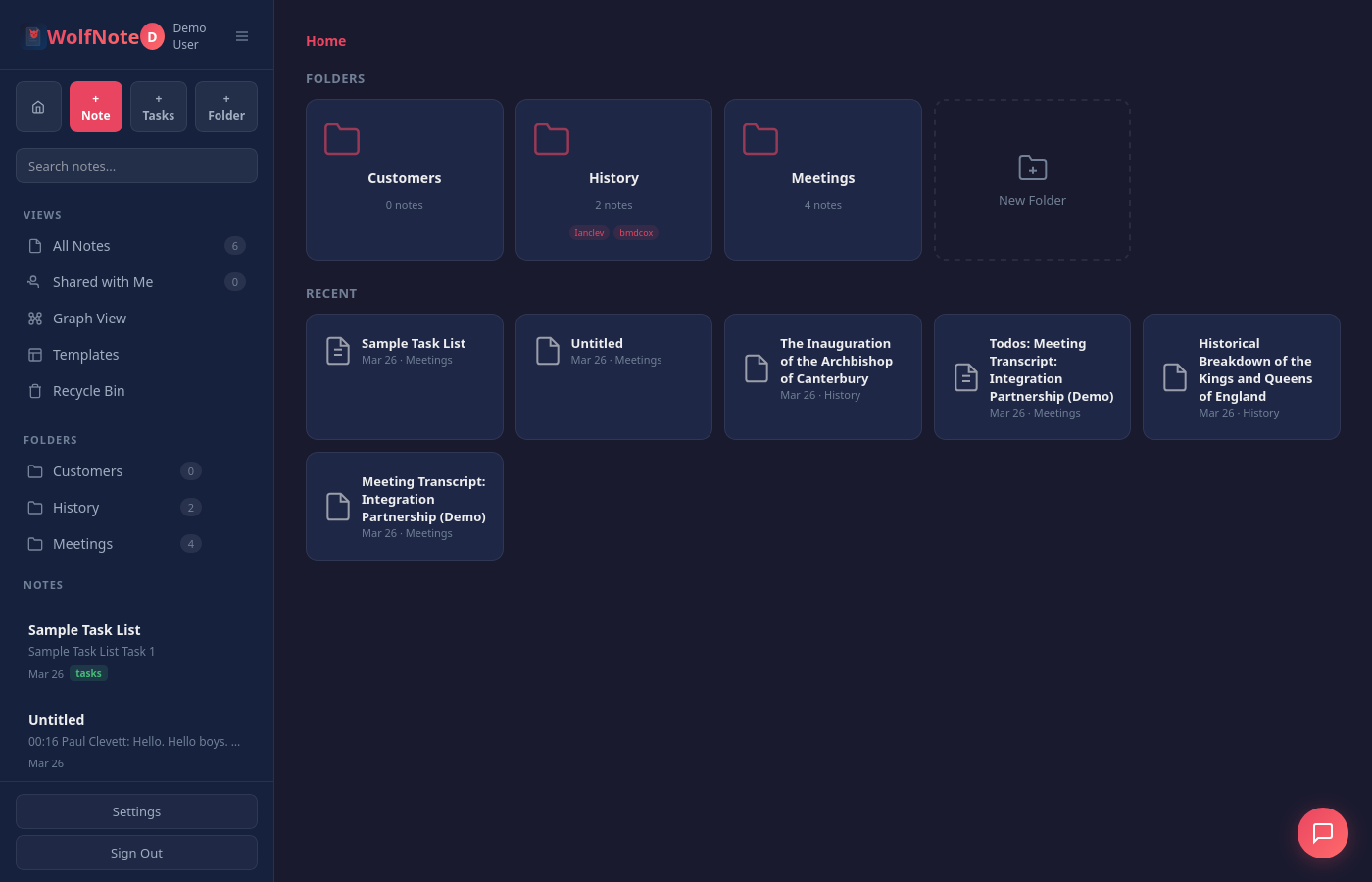
Import directly from Evernote

Export your notebooks from Evernote as .enex files and import them directly into WolfNote. Your notes and structure are preserved, so you can switch without starting from scratch.

  • Direct .enex file import
  • Preserves note content and structure
  • Bulk import entire notebooks
  • Also import Word, PDF, Excel and OpenDocument files
  • No data loss during migration
Import from Evernote to WolfNote
Head to Head

Feature comparison

A detailed look at what each platform offers.

Feature WolfNote Evernote
Notes & Editor
Rich text editing
Page sizes (A4, Letter, Legal)
Page breaks & multi-page documents
Templates
PDF fill-in templates
Import Word, PDF & Excel files
Import PDF as editable text
Web clipper
OCR on images
Task Management
Checklists
Subtasks
Estimated hours per task
Time tracking (start/stop)
Assignees
Automatic task numbering
Billing & Invoicing
Time tracking with costs
Per-user billing rates
Invoice generation
Uninvoiced task filtering
AI Features
AI chat assistant
AI document generation (13 types)
AI image generation
AI notes-to-tasks extraction
AI note summarisation
Multiple AI providers (Claude, Gemini, Ollama)
Drawing & Annotations
Pen tool Mobile only
Highlighter Mobile only
Shapes (rectangles, circles, arrows, lines)
Snap-to-grid
Organisation
Folders / Notebooks
Note sharing
Knowledge graph
Recycle bin
Tags
Pricing
Free tier All features, 1 user Limited (50 notes, 1 notebook)
Personal plan Free $14.99/mo
Team plan $37/mo, unlimited users $17.99/mo per user
Per-user fees None Yes
Migration

Switching is easy

WolfNote imports Evernote's .enex export format directly. Your notes, formatting, and notebook structure come across intact.

1

Export from Evernote

In Evernote, select your notebooks and export as .enex files. This is Evernote's standard export format and preserves all your content.

2

Import into WolfNote

Open WolfNote, go to Settings, and import your .enex files. Notes are created in the corresponding folders with formatting preserved.

3

Start using more

Your notes are ready. Now add tasks, track time, generate documents, and use drawing tools — features Evernote never offered.

Notes, tasks, and billing.
One workspace. No per-user fees.

Free forever for individuals. $37/month for teams with unlimited users.