Page-based editor, pen annotations, templates, subtasks, AI image generation, Chrome extension, and more. Here's everything your team gets.
Copy meeting notes, study notes, project briefs, or any text from any source. Paste directly into WolfNote's AI panel.
WolfNote identifies action items, groups them by topic, assigns @usernames, and adds deadlines. Review and edit if needed.
Start/stop timers on each task. Per-user hourly rates calculate costs automatically. Print billing reports for clients.
Every company gets everything. No feature gates, no upsells.
Paste any text and AI extracts tasks with assignees, deadlines, and sections
Multi-turn conversation with context, directly inside your notes
AI answers with live web results and source citations
Claude, Google Gemini, or Ollama for fully offline local AI
One click to insert any AI response directly into your note
Use your own API keys or the server's fallback key
13 document types from any task list, filtered by assignee or status
Invoices with per-user billing rates and auto invoice tracking
Progress reports with completed vs outstanding work and hours
Client-ready proposals with scope, deliverables, and investment
Retrospectives with velocity, estimation accuracy, and action items
Colour-coded risk register from unassigned tasks and scope gaps
Structured agendas grouped by assignee with time estimates
Workload balance analysis across team members
Visual timeline with phases, milestones, and critical path
Value vs effort matrix with quick wins and deprioritise recommendations
Test cases, acceptance criteria, edge cases, and coverage matrix
User-facing release notes from completed tasks
Comprehensive project transition documents for new teams
Bold, italic, underline, headings, colours, highlighting, and text justification (left, centre, right, justify)
Insert and edit tables with a floating toolbar: add/delete rows and columns, merge/split cells, toggle borders, align text, set width
Cm/mm ruler bar with clickable tab stops. Draggable margins. Tab key jumps to set stops. Margins and tabs saved per document
Single, 1.15, 1.5, double, 2.5, or triple — saved per document
Inline code and multi-line code blocks with monospace font
Ctrl+F search with highlighted matches and navigation
Auto-strips inline styles, colours, and fonts from pasted content
Live count displayed below the toolbar
Clickable cross-references between notes
Saves every 3 seconds with live sync across tabs
Ctrl+Enter to insert, visible on screen, forces new page on print
Cream, sepia, dark, or any custom colour with auto-contrast text
Export to PDF, HTML, Word (.docx), OpenDocument (.odt), Markdown, or plain text
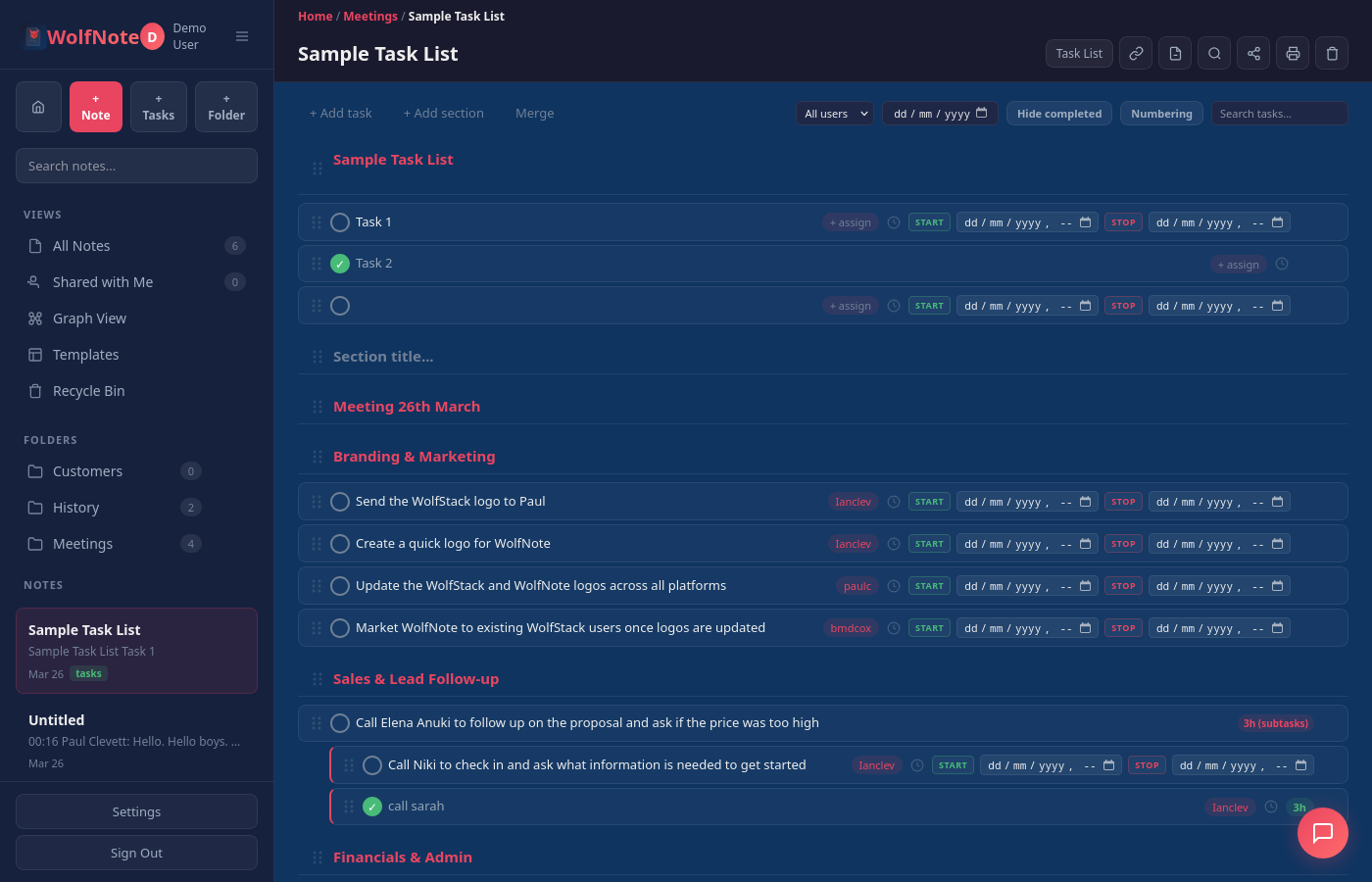
Checkboxes, drag to reorder, nest with Tab, parent hours auto-total
Assign tasks to team members, filter by assignee
Start/stop timers with exact timestamps per task
Per-user rates, multi-currency (GBP, USD, EUR, AUD, CAD)
Print with hours, costs, and totals per user
See tasks for a specific person or time period
Combine two lists preserving all data
Toggle to focus on remaining tasks
Drag tasks and sections, Tab/Shift+Tab for indent
Manual or AI-powered estimates per task
SOW with scope, deliverables, timeline, and optional staging
PERT-style AI estimation for all tasks without estimates. Choose to overwrite existing estimates, set a start date, and include/exclude weekends
Per-task estimated start and end with datetime precision. AI auto-schedules tasks in series per assignee — different team members work in parallel
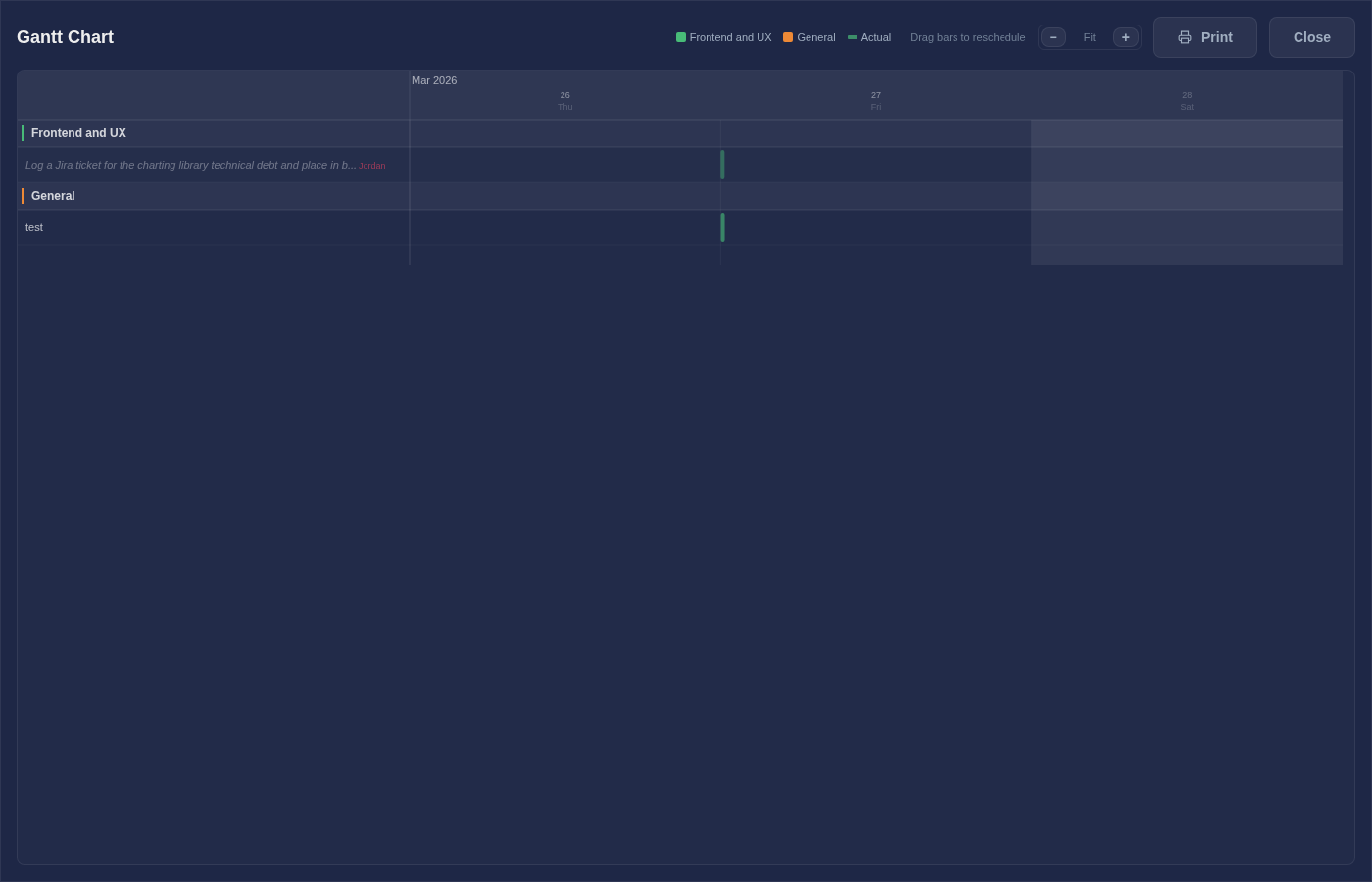
Full-screen Gantt chart with estimated and actual bars side by side. Drag to reschedule — bars snap to 15-minute increments. Zoom from project overview down to hourly detail. Section separators, weekend shading, today marker, and assignee labels
Light-theme multi-page print. Choose pages wide and high to tile across A4 landscape sheets for wall-sized project charts
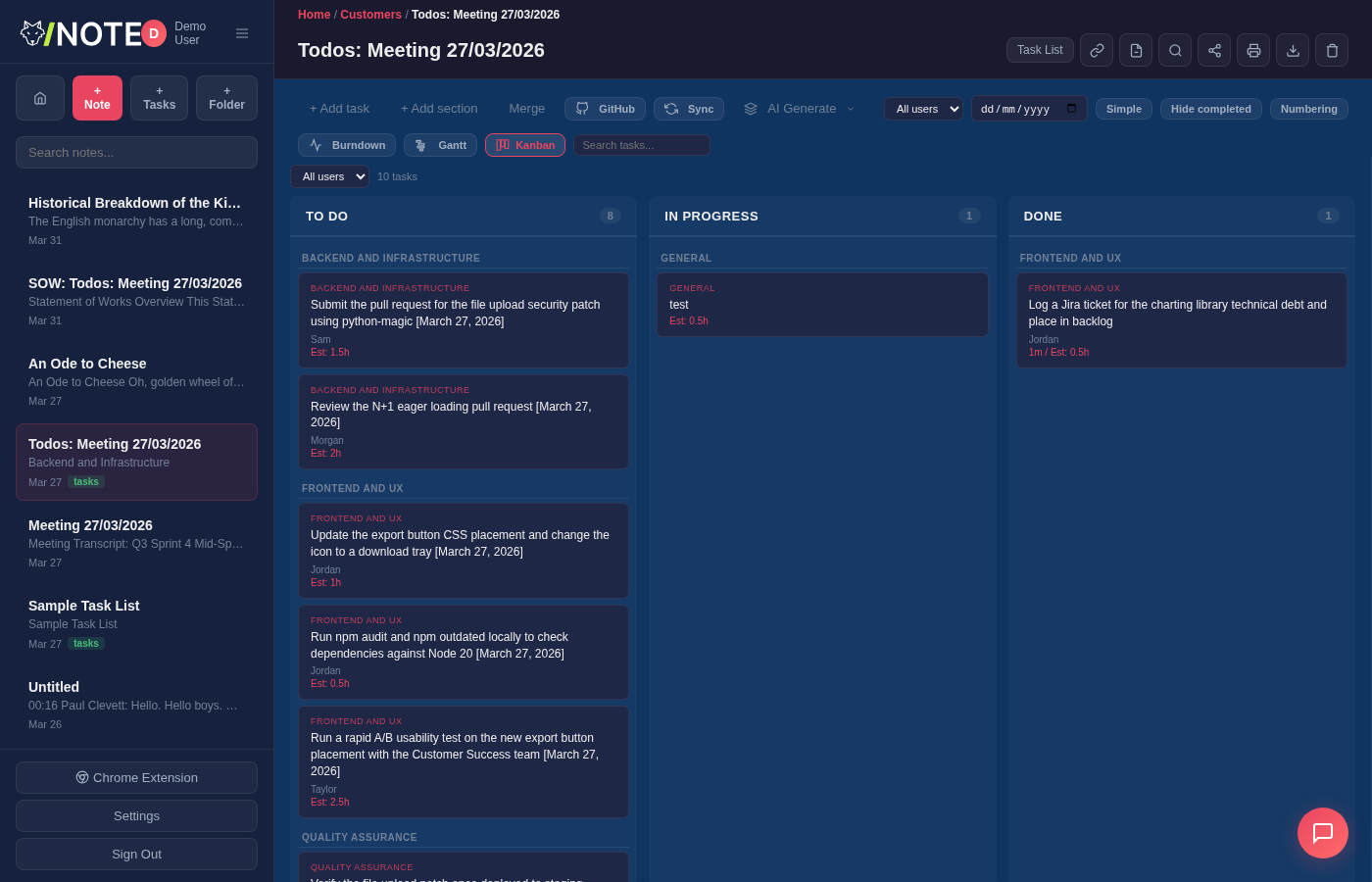
Drag-and-drop Kanban with To Do, In Progress, and Done columns. Cards show estimated hours, actual duration, estimated dates, subtasks, and assignees. Filter by user
Visual burndown showing actual vs ideal progress based on estimated hours and completion dates
Mark tasks as invoiced, filter uninvoiced for next invoice
Hide time tracking, estimates, and billing per task list for a clean checklist view. Setting remembered per list
Per-user billing breakdown on printouts
Filter by user, date range, status. Print or export to Excel, CSV, or Word with section totals
Export a filtered task list as a formatted note with section headings and tables
WYSIWYG with A4, Letter, Legal, or A3 page sizes
Lined, college ruled, wide ruled, graph (5mm & 2mm), dot grid (regular & fine), isometric, Cornell, and storyboard — drawn on the page and printed
30% to 200% with fit-to-width and keyboard shortcuts
Freehand drawing with pen, highlighter, eraser, and line styles (solid, dashed, dotted)
Networking (server, cloud, database, router, firewall), flowchart (process, decision, terminal), charts (bar, line, pie), and connectors. All shapes are grouped for move/resize/delete
Toggle snap-to-grid with fine, medium, or coarse density for precise drawing
Click drawings and shapes to move, resize, or delete them. Grouped shapes move as one
Drag-and-drop text boxes for form fill-in over templates
Paper styles, drawings, text boxes, and backgrounds all print correctly
Save any note as a reusable template with one click
Upload PDFs or images as backgrounds for digital form fill-in
Share templates with your entire team
Evernote (.enex), Google Keep (Takeout), Notion (HTML/Markdown), OneNote (HTML), Joplin (.jex with images and folder structure), Standard Notes (JSON), Apple Notes (HTML), or generic files (.txt, .md, .html, .zip)
Bring in Microsoft Word (.docx, .doc) and OpenDocument (.odt) files as fully editable notes — headings, lists, tables and formatting preserved
PDFs are reconstructed as positioned, editable text boxes — keeping fonts, sizes, colours, background shading and embedded images and logos. Not a flat picture; edit the words straight away
Edit the text in an imported PDF, fill in forms, annotate with the pen, then export or print back to PDF. A free alternative to Adobe Acrobat for everyday edits — included on the free plan
Excel (.xlsx, .xls) and OpenDocument spreadsheets (.ods) come in as editable tables
Imports folder structure, note content, and embedded images from .jex archives. Choose which folder to import into
Save any web page to WolfNote with one click. Install from Chrome Web Store
PWA with native app experience and offline support
Interactive guided tour of all features on first login. Re-enable from Settings any time
Unlimited nested folders in a sidebar tree with expand/collapse. Drag-and-drop notes and folders to reorganise
Click any folder icon to set a custom colour from 12 presets — visible in the sidebar and home view
Drag notes to folders in the sidebar, home view, or breadcrumbs
Deleted folders and their notes go to the recycle bin together and can be restored as a unit
Search bar on the home screen filters folders and notes by name and content in real time
Share notes or entire folders with read-only or edit access per user
Interactive 3D graph of note connections, colour-coded by folder
Ctrl+K quick search across all notes with full-text matching
Dark, Light, Midnight, Forest, Amber, Obsidian, Carbon, Twilight, Arctic, Void, Deep Red, TTY
Emoji or uploaded image, shown in sidebar and on shared notes
Desktop, tablet, and mobile with collapsible sidebar
Isolated database per company with complete data separation
Admin panel for users, roles, password resets, and registration
bcrypt hashing, JWT tokens, login by username or email
Auto Let's Encrypt detection, pure Rust TLS via rustls
Memory-safe, high-performance, no garbage collection pauses
We handle hosting, backups, updates, and security
Free forever for individuals. $37/month for teams with unlimited users.