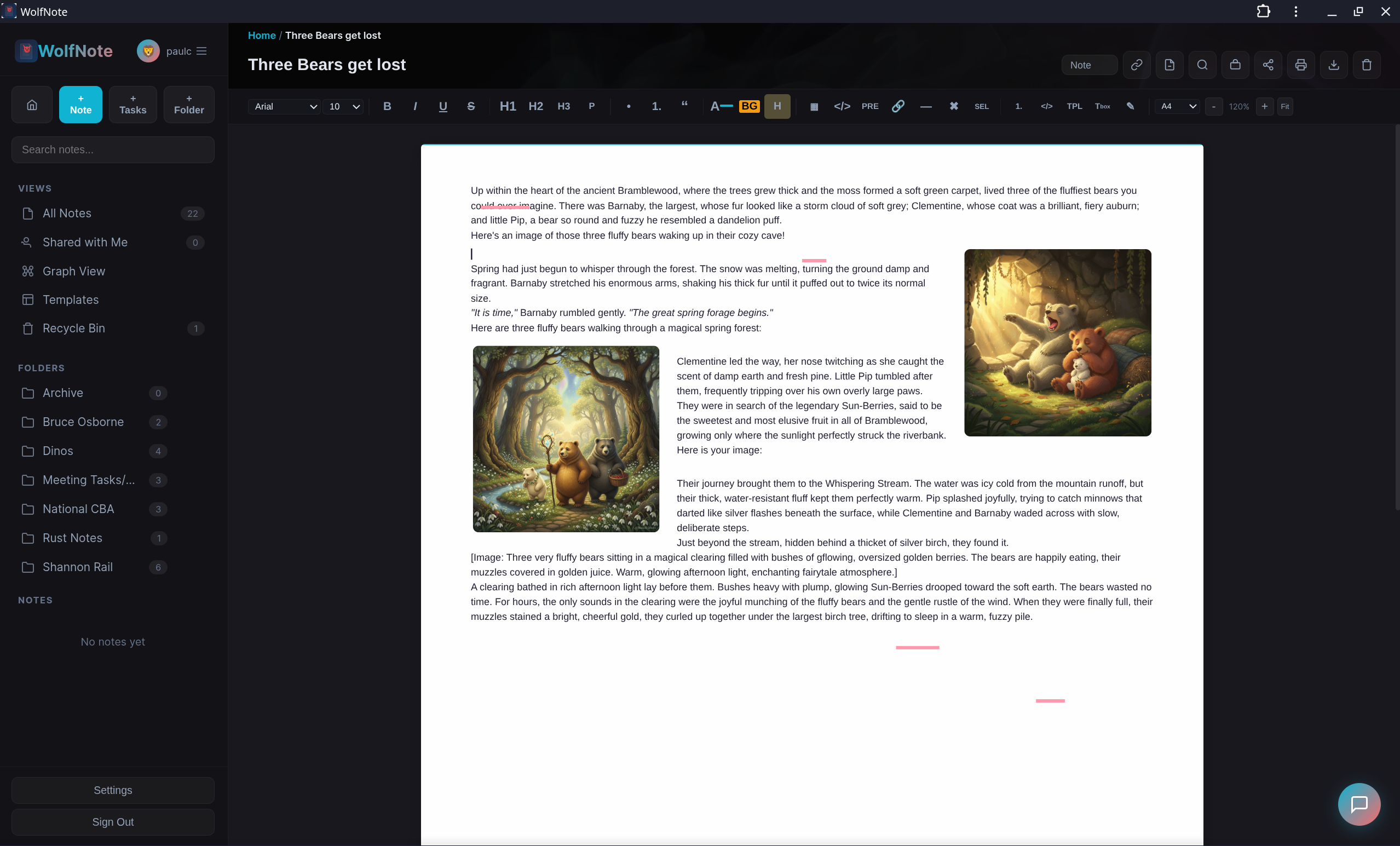
Write beautiful notes, turn them into to‑do lists with AI, and edit PDFs right on the page — all in one place. Free for one person, no credit card, no Adobe subscription.
Meeting minutes, study notes, project briefs, emails, brainstorms — paste any text and WolfNote's AI does the rest.
Copy text from anywhere — Zoom transcripts, email threads, lecture notes, project plans, handwritten notes you've typed up. Paste it into WolfNote.
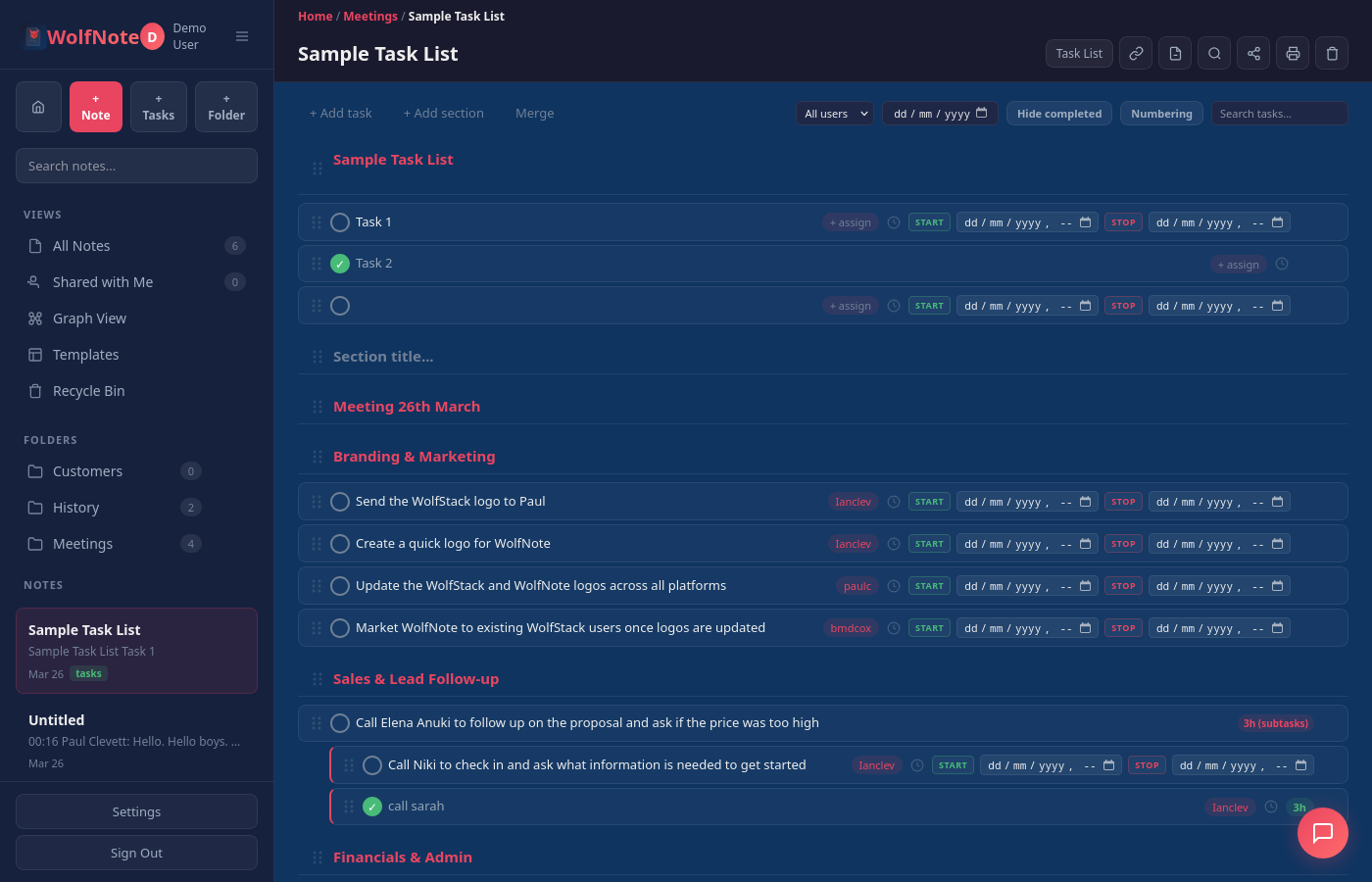
WolfNote's AI reads your text, identifies every task and action item, matches names to your registered users, groups by topic, and adds deadlines.
Start/stop timers on each task. Subtasks break work into pieces. Per-user billing calculates costs. Print reports for clients. All automatic.
Works with meeting notes, study notes, project briefs, email threads, brainstorm sessions, research notes, interview transcripts, and any other text.
Try It FreeRich text, tables, images, text justification, line spacing, ruler with tab stops, draggable margins, and zoom
10 paper types (lined, graph, dot grid, isometric, Cornell, storyboard), shapes library, snap-to-grid, and freehand drawing
Assignees, sections, drag-to-reorder, numbering, filters, and export to Excel, CSV, or Word
Start/stop timers, per-user rates, multi-currency, date range filtering
Claude, Gemini, or Ollama with web search grounding
Invoices, SOW, proposals, reports, timelines, and more
Import Word, PDF, Excel and OpenDocument files — plus Evernote, Notion, OneNote, Google Keep, Joplin and Apple Notes. PDFs come in as editable text, keeping fonts, colours and logos. Export to PDF, Word, Excel, CSV, HTML and Markdown
Nested folders with collapsible tree view, custom colours, drag-and-drop, recycle bin with restore
Save any web page to WolfNote with one click. Install from Chrome Web Store →
WolfNote combines notes, tasks, time tracking, and AI-powered billing in one workspace — no bolt-ons, no per-user fees.
Notion, Evernote, and OneNote have no timers or invoicing
Invoices, proposals, SOW, reports — no other notes app does this
Competitors charge $10-15 per user per month. WolfNote is $37/mo total.
A4/Letter pages, 10 paper types, ruler, tab stops, margins, snap-to-grid shapes
Bring in Word, PDF, Excel and OpenDocument files, or switch from Evernote, Notion, Joplin, Google Keep, OneNote or Apple Notes — folder structure and images come too
Task lists to Excel/CSV with filters. Notes to PDF, Word, HTML, Markdown. No lock-in.
No per-user fees. No feature gates.
For individuals getting started.
Free forever. No credit card.
For teams. Unlimited users.
£29/mo + VAT. Try Pro free for 14 days.
Need more AI credits? Packs from $6. Enterprise pricing available — contact us.
Built from the ground up with security in mind. Your notes are private — no third-party scripts, no data sharing, no ads inside the app.
All data is encrypted in transit. Your notes, tasks, and files are protected every step of the way.
Each company gets its own isolated database. Your data is never mixed with anyone else's.
We don't sell your data, show ads, or track you inside the app. Your workspace is private.
Your data belongs to you. Export to Word, PDF, HTML, or Markdown at any time. No lock-in.
No venture capital, no per-seat upsells, no faceless support queue.
“I built WolfNote because I was tired of paying per seat for a notes app, paying again for a time tracker, and paying a third time to send an invoice. So I put all three in one workspace, made it fast with Rust, and priced it as one flat fee. If you ever get stuck, you email me — not a ticket bot.”
Create a free workspace in under a minute. Nothing to cancel.
One click to PDF, Word, Excel, HTML or Markdown. Leave whenever you like — no lock-in.
Your notes live in their own isolated database, never mixed with anyone else's.
Real support from the people writing the code, not an outsourced queue.
Free forever for individuals. $37/month for teams with unlimited users.